
A shared folder gives several teams access to the same documents. But uploading a file does not move the work forward on its own. Someone still has to read it, find supporting information, cross-check the data and write a summary before handing it on.
At a client supported by Automatyz, preparing a detailed report could easily take 40 minutes. The person responsible also had other duties. Work on the case therefore depended on when they could set aside that time.
Automating document processing made it possible to prepare a summary in under 20 seconds, followed by human review. The client, industry and specific software remain anonymous. The results described here relate to this particular implementation.
The document has arrived. The preparation begins
Employees upload reports, summaries and supporting documents to shared folders. Another team uses them to produce analyses, including cost and performance reviews.
The source document does not contain everything they need. They also have to check other folders and the company’s enterprise resource planning software, or ERP. The information to compare includes supplier or subcontractor invoices and production or inventory data.
Before confirming the information received, someone must gather the relevant facts, understand them and write a summary. The result goes back into a shared folder for review and is eventually marked as processed.
This requires attention, alongside the rest of the working day. The person preparing these summaries has other responsibilities, requests to answer and work to complete.
Automatyz focused on reducing that preparation time while keeping the final human check.
A summary prepared from documents and ERP data
The solution starts with the familiar action of uploading documents to the designated folder.
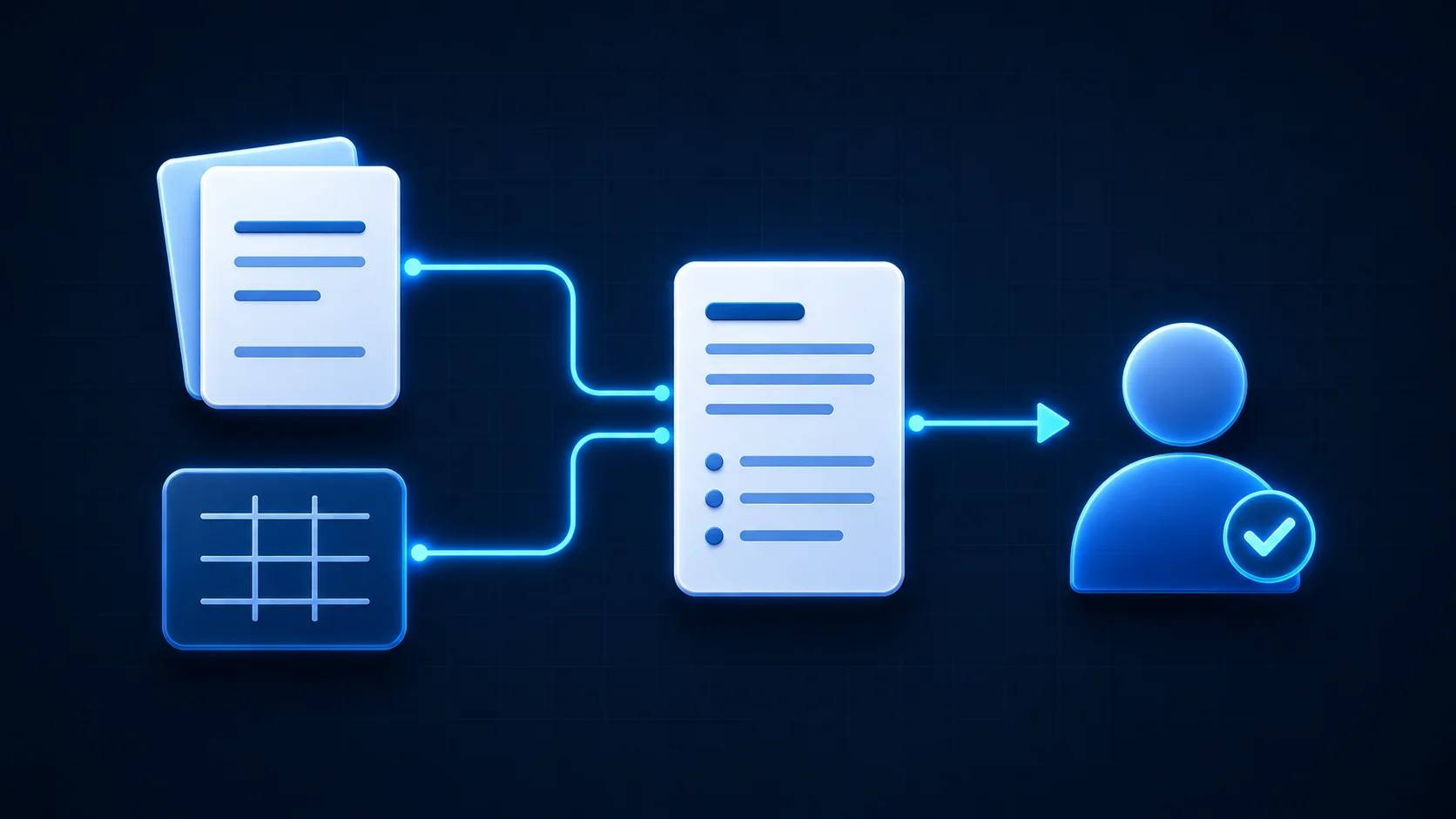
It reads their contents, retrieves supporting information from the ERP and prepares a summary. This brings together the material the employee previously had to find and write up manually.
The resulting report is detailed enough to support review. The employee can read through the information, check anything that needs attention and edit the text where necessary. They start with a prepared draft.
The process remains easy for the teams to follow:
- An employee uploads the documents.
- The automated process prepares a summary using the documents and ERP data.
- The summary is filed according to the conditions agreed with the client.
- A person reads it, makes any necessary corrections and approves it.
- After approval, it is automatically moved to the processed folder.
The client’s specific matching rules and checks are not described here. They are part of its internal operations.
Two folders to guide attention, human review for every summary
Each summary is routed to one of two folders, labelled “Validated” and “To review”.
The first means that all the conditions agreed with the client have been met. The second means that one or more conditions have not been met and the case needs closer attention.
A person reviews every summary and makes the final decision, whichever folder it is in. Here, “Validated” describes the outcome of the tool’s checks. It never removes the requirement for human approval.
This distinction helps organise the review. The employee receives a prepared document and can see which cases require further investigation. They can focus on checking the information and making corrections.
Meeting the predefined conditions does not guarantee that a document is free of every possible error. This is another reason human review remains part of the process.
Around 40 minutes of preparation becomes seconds, followed by review
Identifying the relevant information and writing a summary for a detailed report previously took around 40 minutes, sometimes longer.
With the implemented process, the automated steps take under 20 seconds. That figure excludes both the wait for someone to open the case and the time they spend reviewing it.
Human review is estimated at around two minutes in this case. This remains an estimate: a question to resolve, a correction or a more complex case can take longer.
There are therefore three separate reference points:
- Before: around 40 minutes to identify the information and write the summary for a detailed report.
- After: under 20 seconds for automated preparation and filing.
- Then: an estimated two minutes of human review, depending on the case.
These figures describe work on the report. They do not measure the full time a case takes to move between teams, which also depends on people’s availability. Nor are they a promise of the same results for every document or business.
A gradual rollout, checked against human work
A fast summary first needs to be a useful summary.
The process begins with a testing period. The data is checked and the output is compared with what a person would have produced. Would they have selected the same information? Written a summary consistent with it? Filed the case in the same way?
This phase makes it possible to check and adjust the process before putting it fully into production. Confidence is built through observed results.
Once the process has proved reliable in use, reviews become lighter for cases that meet the agreed conditions. Every summary is still reviewed. Cases marked “To review” continue to receive closer attention.
More time for the employee’s other responsibilities
The benefit is visible in how much of the working day this task occupies.
Spending 40 minutes preparing a summary ties up someone who also has other duties. Receiving a draft and focusing on checking it frees up some of that time for their other responsibilities.
This may give them more room to concentrate on a customer request, a conversation or a situation that requires understanding another person. These are possible uses of the time released; they have not been quantified in this case.
The reports are internal. Their writing needs to be clear and useful to colleagues. They are not sent directly to customers or suppliers. That context makes AI-assisted drafting suitable, while accuracy and human review remain essential.
Where to look when work stalls between teams
This case suggests looking closely at the work that comes before approval. How long does it take to find the data? Is the same information copied across several tools? Does someone write a fresh summary every time from facts that are already available?
These preparation steps can account for a substantial part of the workload. Making them faster helps the person approach the decision with the necessary information in front of them.
The same approach appears in our article on underused business tools: examining the handoffs between tools can reveal tasks that have come to feel unavoidable. Our automated Excel scheduling case study provides another example.
Which cases in your business regularly wait for someone to gather information or prepare a summary? That is a useful starting point for exploring what could be simplified with the people who do the work.